![How to Apply for a DGCA Computer Number [2026]](https://blog.vfti.co.in/wp-content/uploads/2026/04/unnamed-1.png)
The DGCA Computer Number is a unique identification number issued by the Directorate General of Civil Aviation (DGCA) to every aspiring pilot in India. It is your unique flight crew exam identity on DGCA’s system. It is free to obtain and is applied for through the official Pariksha portal.
Here is a quick overview of the process to get your DGCA Computer Number:
- Go to pariksha.dgca.gov.in
- Choose Flight Crew – New Candidate Registration
- Verify your mobile number and email
- Fill in your details exactly as per your Class 10 record
- Upload the required documents
- Submit the form
- DGCA now also offers auto-generation of computer numbers for eligible Indian candidates whose Class 10 and 12 records are available through DigiLocker from CBSE, ICSE, and Maharashtra Board, subject to successful verification.
What is a DGCA Computer Number?
The DGCA Computer Number (CN) is a 10-digit alphanumeric ID assigned by the Central Examination Organisation (CEO) of DGCA to every flight crew exam candidate. DGCA allows only one computer number per candidate, and its validity is for your entire aviation career. The same number is used across DGCA flight crew examinations.
Who should apply for a DGCA Computer Number?
Every new candidate who wants to pursue pilot training and clear DGCA exams needs a Computer Number. This means students planning to apply for a Private Pilot Licence (PPL), Commercial Pilot Licence (CPL), Airline Transport Pilot Licence (ATPL), and other related flight crew categories handled on the Pariksha portal should apply for a DGCA Computer Number.
Eligibility Criteria for getting a DGCA Computer Number
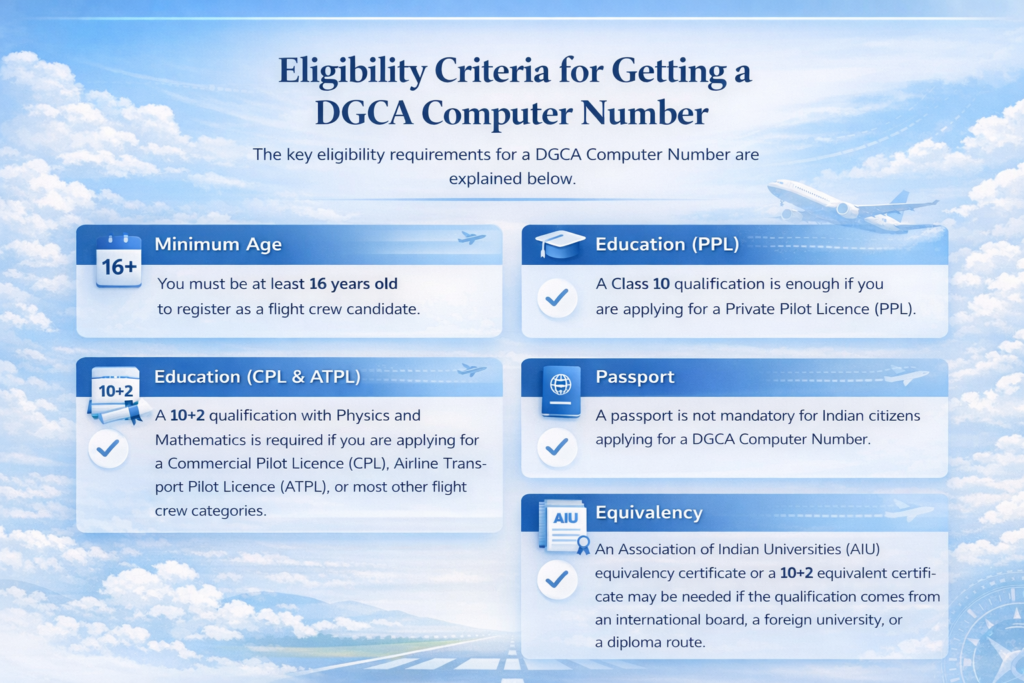
The key eligibility requirements for a DGCA computer number are explained below.
- You must be at least 16 years old to register as a flight crew candidate.
- A Class 10 qualification is enough if you are applying for PPL.
- A 10+2 qualification with Physics and Mathematics is required if you are applying for CPL, ATPL, or most other flight crew categories.
- A passport is not mandatory for Indian citizens applying for a DGCA computer number.
- An Association of Indian Universities (AIU) equivalency certificate or a 10+2 equivalent certificate may be needed if your qualification comes from an international board, a foreign university, or a diploma route.
Which Documents are required for a DGCA Computer Number Application
Use the checklist below while preparing your DGCA computer number application. It is based on the current DGCA Flight Crew user manual and DigiLocker notice.
| Document | Why is it needed | Format / key rule |
| Class 10 marksheet + pass certificate | Main reference for name and date of birth | PDF, up to 500 KB each |
| Class 12 marksheet + pass certificate | Needed for CPL/ATPL and most categories other than PPL to prove Physics and Maths | PDF, up to 500 KB each |
| Recent photograph | Required for DGCA profile and verification | JPG/JPEG, 45 mm x 35 mm, white background, max 70 KB |
| Signature | Required for declaration and application | JPG/JPEG, 20 mm x 45 mm, white background, max 20 KB |
| Aadhaar / permanent address proof / DOB proof | Identity and address support, as applicable | PDF, usually up to 100 KB |
| BVC / AIU / 10+2 equivalent certificate | Only if your case requires board verification or equivalency | PDF, usually up to 100 KB |
If your Class 10 and 12 documents are fetched from DigiLocker, the Board Verification Certificate (BVC) is not required for those records.
Further, the DGCA has already abolished the older rule of sending a hard copy of the application and removed the need for notary or gazetted officer attestation. Today, you apply online and upload self-attested documents only. All supporting documents must be uploaded in PDF, while the photo and signature must be in JPG/JPEG.
Step-by-Step Process to apply for your DGCA Computer Number
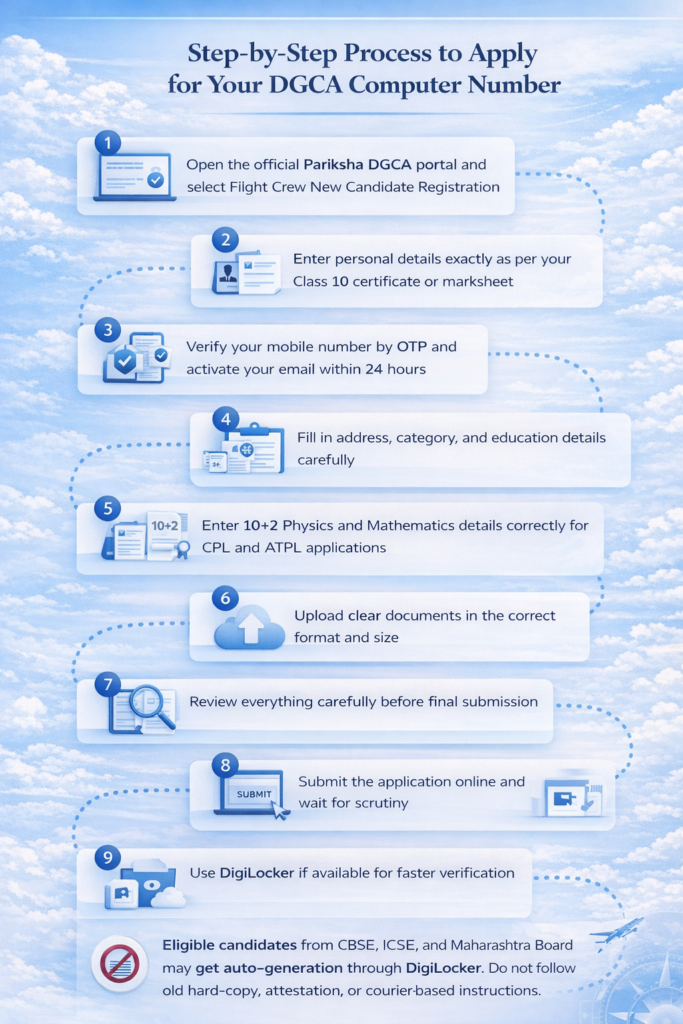
- Go to the official Pariksha DGCA portal and open Flight Crew New Candidate Registration. This is the correct starting point for candidates who do not already have a computer number.
- Fill in your personal details exactly as per your Class 10 certificate or marksheet. DGCA’s user manual clearly says your name, date of birth, father’s name, and mother’s name should match your Class 10 record.
- Verify your mobile number through OTP and activate your email link. That activation link is valid for 24 hours only, so do not leave this step pending. If you miss the window, you may need to register again.
- Complete your address, category, and education details carefully. If you are applying for a CPL or ATPL, make sure your 10+2 Physics and Mathematics details are entered correctly. If your board is unusual or your qualification is equivalent, keep the supporting proof ready.
- Upload all documents in the correct format and size. Use a clear photo, a clean signature, and fully readable PDFs. The DGCA says that after final submission, you cannot upload missing documents later, so review everything before clicking submit.
- Submit the application online and wait for scrutiny. If your details do not exactly match your documents, the application may be partially or completely rejected. DGCA specifically warns that mismatches in name, date of birth, marks, educational details, address, or unreadable documents can lead to rejection or correction requests.
- Use DigiLocker if available. Since 16 December 2024, the DGCA has integrated DigiLocker with the Pariksha portal for computer number applications. This can make the process faster and reduce document mismatch issues.
DGCA has introduced auto-generation of computer numbers for eligible flight crew candidates with successful DigiLocker verification, including candidates from CBSE, ICSE, and now the Maharashtra Board.
Many older Google articles still tell students to print, attest, and courier the DGCA computer number form. That advice is now outdated. The DGCA officially removed the hard-copy and notary/gazetted attestation requirements in 2024.
How long does it take to obtain a DGCA Computer Number?
The DGCA’s Flight Crew user manual says that, once the requirements are met, the computer number is issued within 15 working days of submission. The process can be faster for eligible Indian candidates whose records are available through DigiLocker because DGCA now supports auto-generation.
What should you do after getting your Computer Number?
Once your computer number is active, the next real challenge is preparation. You need the right guidance for DGCA ground subjects, exam planning, and later flight training. Vision Flying Training Institute presents itself among the top 10 DGCA-approved flying institutes in India under the Vision Group of Institutions.
It offers Commercial Pilot Licence (CPL) and Private Pilot Licence (PPL) training pathways, along with modern training assets and in-house maintenance support.
Pilot students who want structured support from exam preparation to flying training can benefit greatly from this kind of ecosystem. It helps reduce confusion and saves valuable time.
Talk to our team today.
- Admission Office: 3rd Floor, D-405, Saini Plaza, Sector-7, Ramphal Chowk, Dwarka, New Delhi – 110075
- Airbase: Amreli Airport, Amreli, Gujarat – 365601
- Phone: +91 9319193602 | +91 9319193605
- Email: enquiry@vfti.in